Ceremonies Platform
Private Ceremony Management System
Overview
This document presents a page-by-page walkthrough of the Ceremonies Platform — a secure, private dashboard for ceremony facilitators to orchestrate ceremonies, manage participants, verify manual payments (Zelle, Venmo, ACH), track financial integrity, and coordinate integration sessions. The platform uses a three-tier role-based access system (Admin, Manager, Viewer) and includes a public inquiry landing page for prospective participants.
Table of Contents
Role-Based Access
Three tiers of access control who can view, edit, and manage the platform.
Full access to all pages, settings, user management, and payment verification.
Can create/edit ceremonies and participants, verify payments, and send broadcasts. No settings or user management access.
Read-only access to dashboard, ceremonies, participants, and financials. Cannot make changes.
Public Landing Page
/A public-facing page visible to unauthenticated visitors. Showcases upcoming ceremonies and allows interested participants to submit an inquiry form without needing an account.
Key Features
- Hero section with brand identity and call-to-action
- List of upcoming ceremonies with date, location, and price
- Inquiry form (name, email, phone, ceremony selection, message)
- Facilitator Login link for staff to access the dashboard
- Inquiries are stored as participants with "Interested" lead status
Screenshots
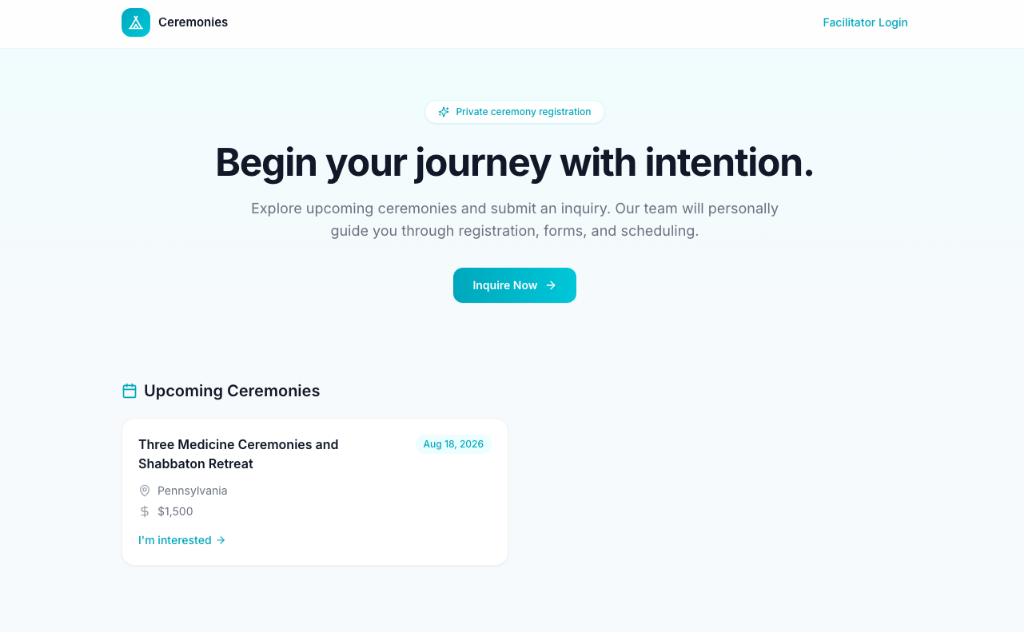
Landing page with hero section, upcoming ceremony card, and inquiry CTA
Dashboard
/dashboardThe main command center after login. Provides an at-a-glance overview of key metrics, upcoming ceremonies, pending payment verifications, and a monthly calendar of events.
Key Features
- Personalized greeting with pending task summary
- Stat cards: Upcoming Ceremonies, Total Participants, Confirmed Income, Pending Verification
- Monthly calendar view showing ceremony dates and integration sessions
- Upcoming Ceremonies list with participant counts and status badges
- Pending Payment Verifications queue with quick-link to payment page
Screenshots
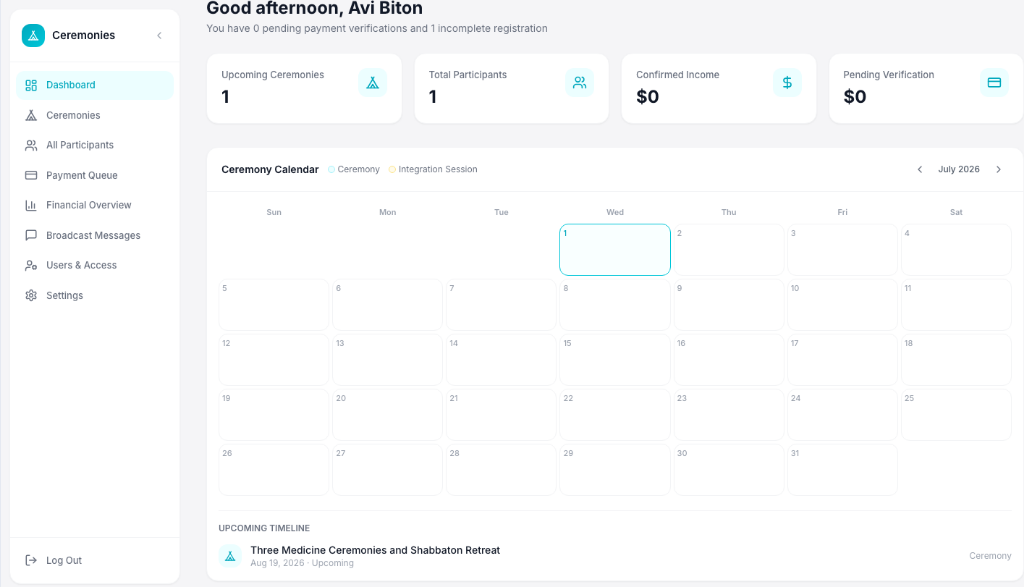
Dashboard with stat cards, ceremony calendar, and upcoming timeline
Ceremonies
/ceremoniesA searchable table of all ceremonies with per-ceremony financial summaries. Each row is clickable to open the ceremony detail view.
Key Features
- Searchable ceremony list (by name or location)
- Per-ceremony columns: participants, registered, confirmed income, pending, expenses, net profit
- Status badges (Upcoming, Completed, Cancelled)
- Create new ceremony dialog (Admin/Manager only)
- Click-through to ceremony detail page
Screenshots
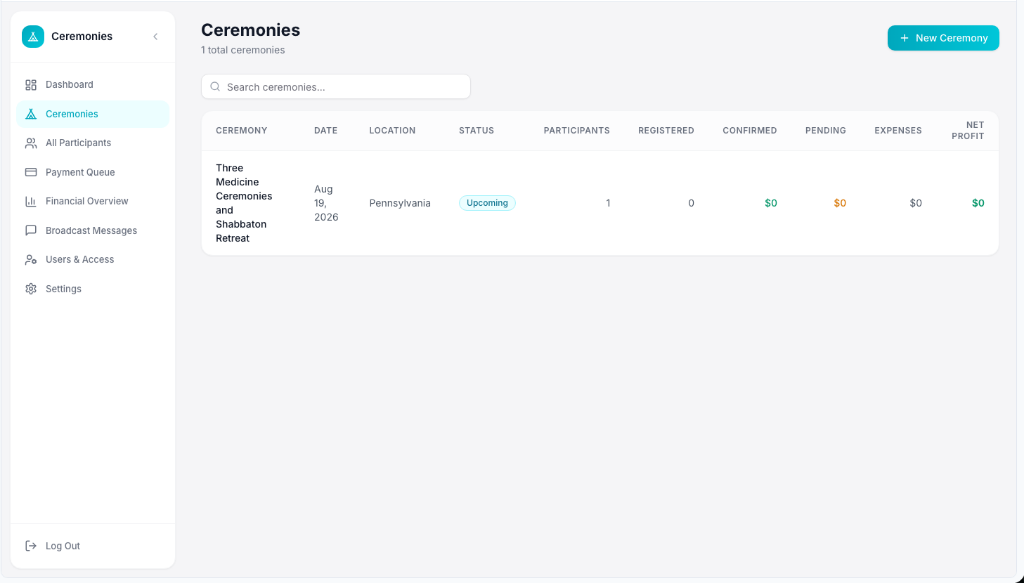
Ceremonies table with per-ceremony financial summary
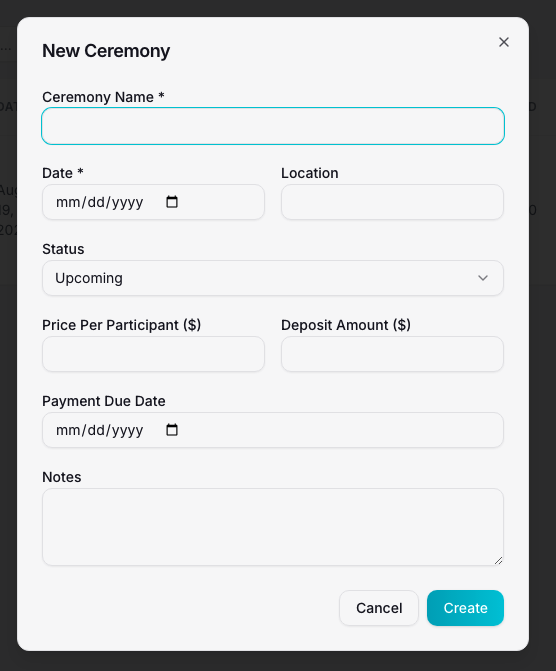
New Ceremony dialog — create form with pricing and deposit fields
Ceremony Detail
/ceremonies/:idA drill-down view for a single ceremony with two sub-tabs: Participants and Finances. Allows editing ceremony details and managing all ceremony-specific data.
Key Features
- Ceremony header with date, location, and status badge
- Edit ceremony details (name, date, location, pricing, deposit, notes)
- Participants tab: full participant roster for this ceremony with add/edit
- Finances tab: income vs. expenses breakdown, expense management, net profit
- Back navigation to ceremonies list
Screenshots
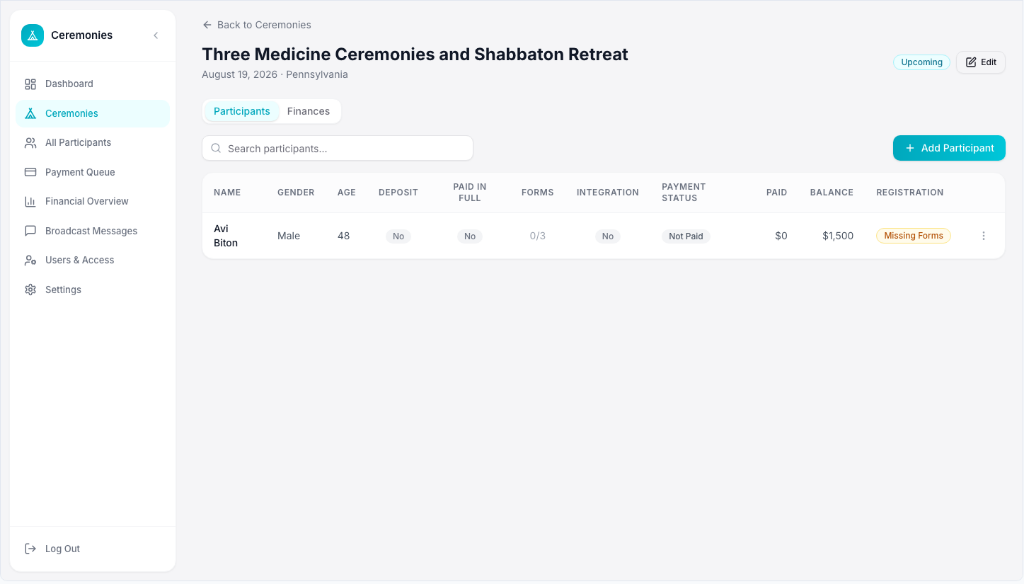
Ceremony Detail with Participants tab — roster with registration and payment status
All Participants
/participantsA comprehensive, filterable directory of every participant across all ceremonies. Supports bulk selection and broadcast messaging.
Key Features
- Multi-filter search: ceremony, lead status, payment status, forms, integration session, age range
- Bulk selection with checkboxes
- Broadcast email/SMS/WhatsApp to selected participants
- Per-participant: name, contact info, lead status, ceremony, payment status, forms completion (X/3), integration session status
- Add new participant dialog
- Click-through to participant detail page
Screenshots
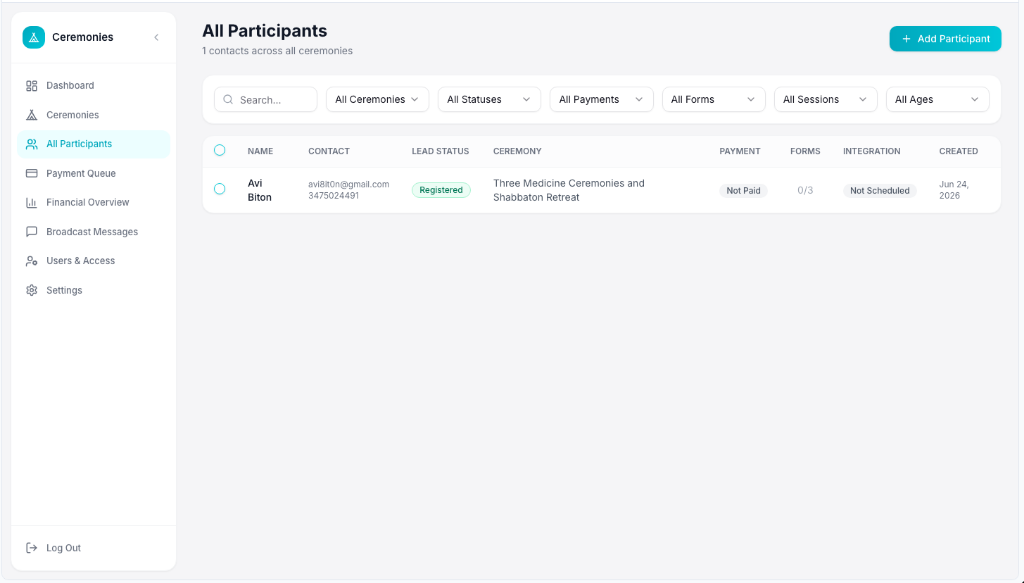
All Participants table with multi-filter bar and bulk select
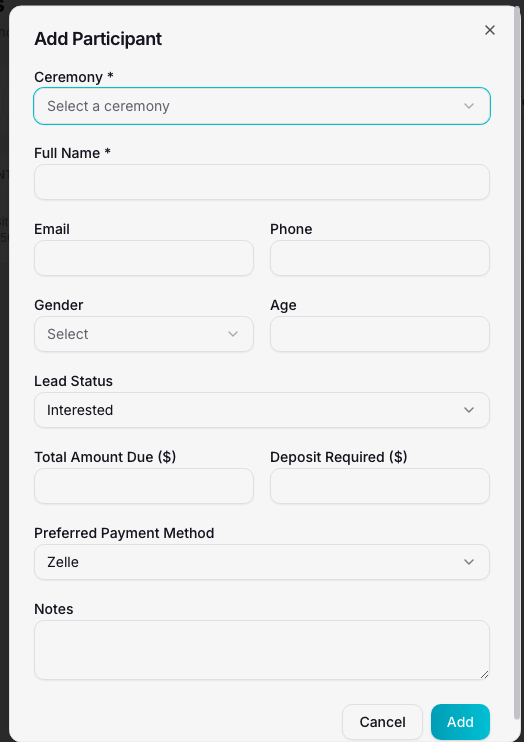
Add Participant dialog — ceremony, contact, and payment fields
Participant Detail
/participants/:idA 360-degree profile for a single participant showing personal info, payment history, document status, and integration session — all in one view.
Key Features
- Participant info card: name, email, phone, gender, age, ceremony
- Payment summary: total due, amount paid, balance remaining, deposit status
- Payment history table with verify/reject actions and proof viewer
- Document tracking: Intake Form, Liability Waiver, Membership Agreement (sent/completed toggles)
- Integration session scheduling and status
- Add payment dialog with method-specific fields
- Automatic registration status recalculation
Screenshots
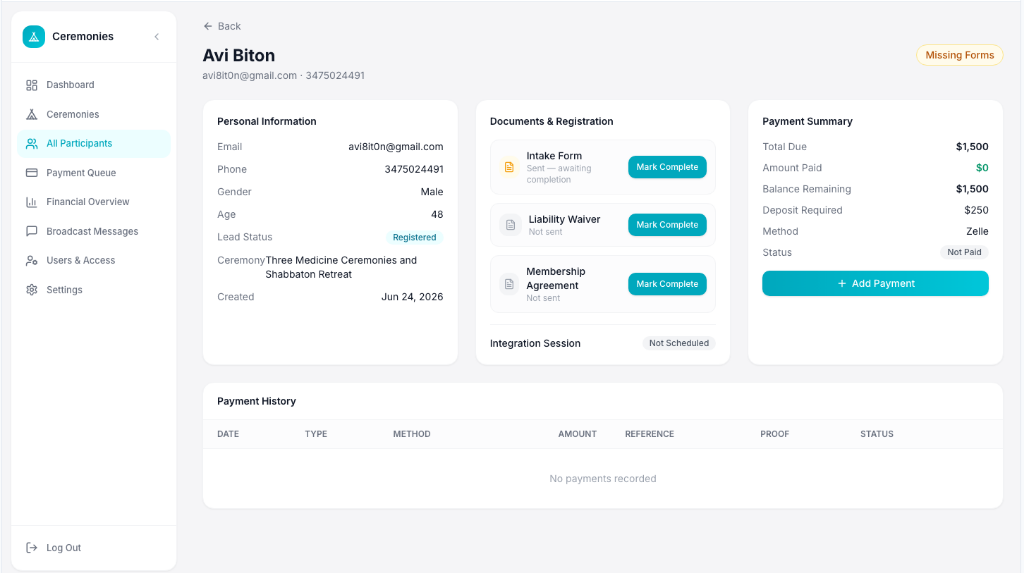
Participant Detail with personal info, document tracking, payment summary, and history
Payment Verification Queue
/paymentsA dedicated queue for verifying or rejecting pending payments. Centralizes all manual payment verification (Zelle, Venmo, ACH) in one workflow.
Key Features
- Stat cards: Pending Payments count, Pending Amount, Total Payments
- Searchable table by participant, ceremony, or reference number
- Verify / Reject / Add Note actions per payment
- Payment proof viewer (images and files)
- Rejection reason dialog with mandatory reason field
- Automatic participant status recalculation after verify/reject
- Role-based: only Admin/Manager can verify; Viewers see read-only
Screenshots
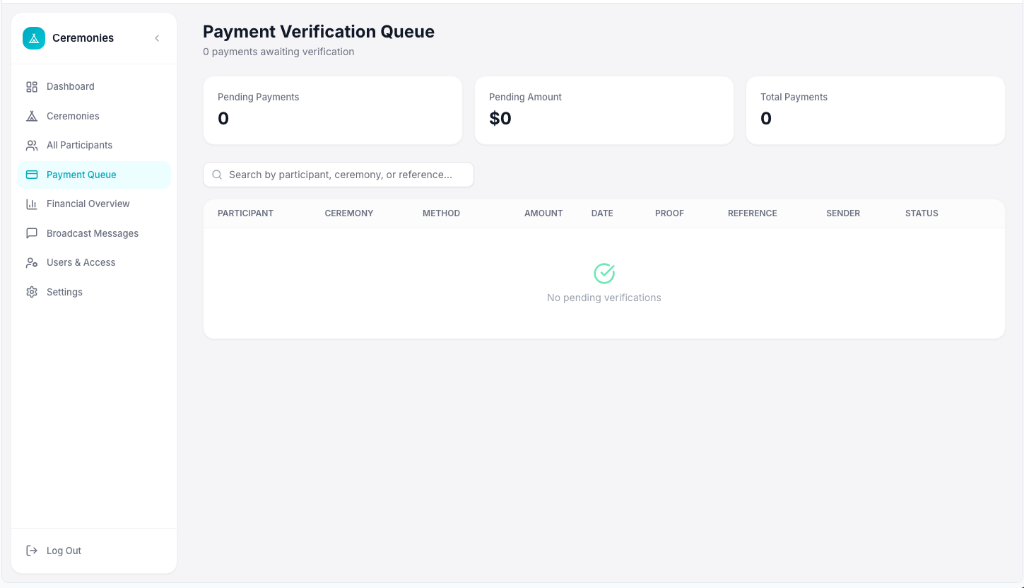
Payment Verification Queue with stat cards and empty state
Financial Overview
/financialsA cross-ceremony financial dashboard with multi-dimensional filtering, summary metrics, and visual charts for income and expenses.
Key Features
- Filters: year, ceremony, location, ceremony status, payment method, payment status
- Summary cards: Confirmed Income, Pending, Outstanding Balances, Expenses, Net Profit
- Secondary metrics: ceremony count, participant count, rejected amount, averages
- Monthly bar chart showing income vs. expenses side by side
- Income by payment method (Zelle, Venmo, ACH) with progress bars
Screenshots
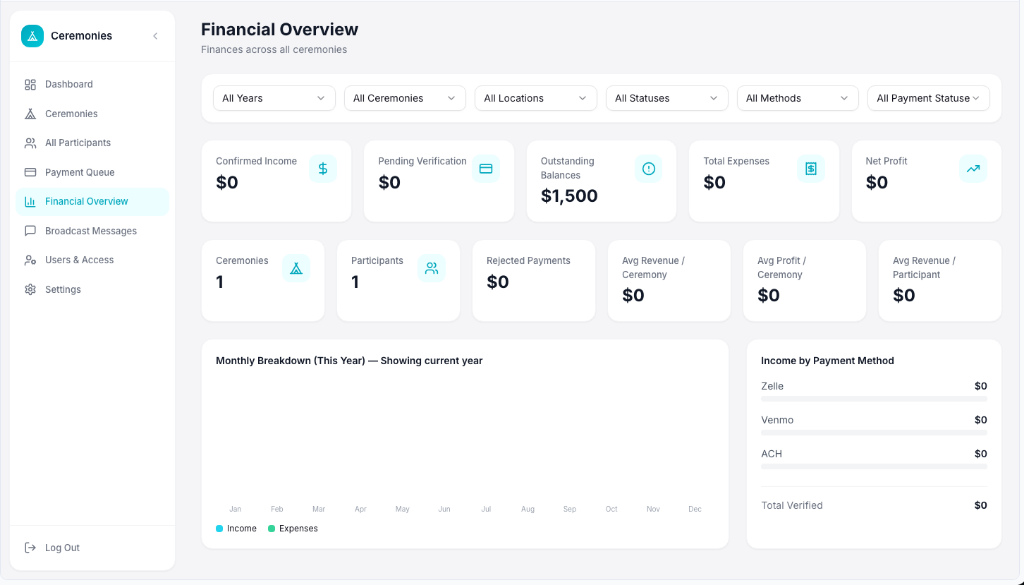
Financial Overview with filters, summary cards, and monthly chart
Broadcast Messages
/broadcastsA log of all broadcast communications sent to participant groups, with the ability to create new broadcast records.
Key Features
- Message log table: type, name, audience, sent date, content preview, delivery status
- Message type icons: Email, SMS, WhatsApp
- Delivery status badges: Draft, Sent, Delivered, Failed
- New broadcast message dialog
- Note: direct email sending is built in; SMS/WhatsApp require external integration
Screenshots
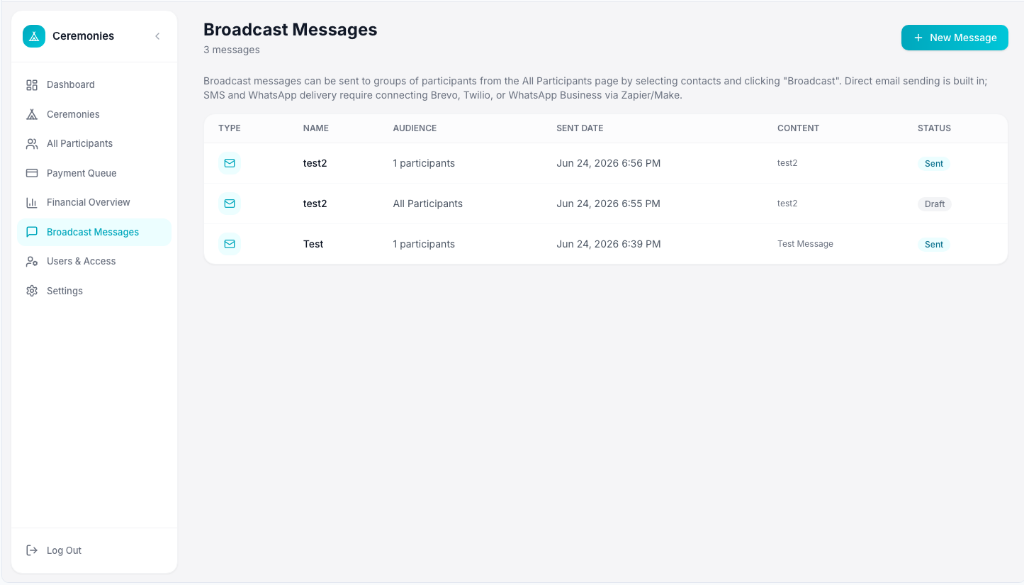
Broadcast Messages table with type icons and delivery status
Users & Access
/usersAn admin-only page for managing team members, roles, and access. Includes a pending approval queue for new sign-up requests.
Key Features
- Pending Requests queue: approve or reject new users with role assignment
- Active users table with avatar, name, email, role, join date
- Inline role change: Admin, Manager, Viewer
- Revoke access button per user (cannot revoke self)
- Invite user dialog with email and role selection
- Role descriptions: Admin (full access), Manager (edit data), Viewer (read-only)
Screenshots
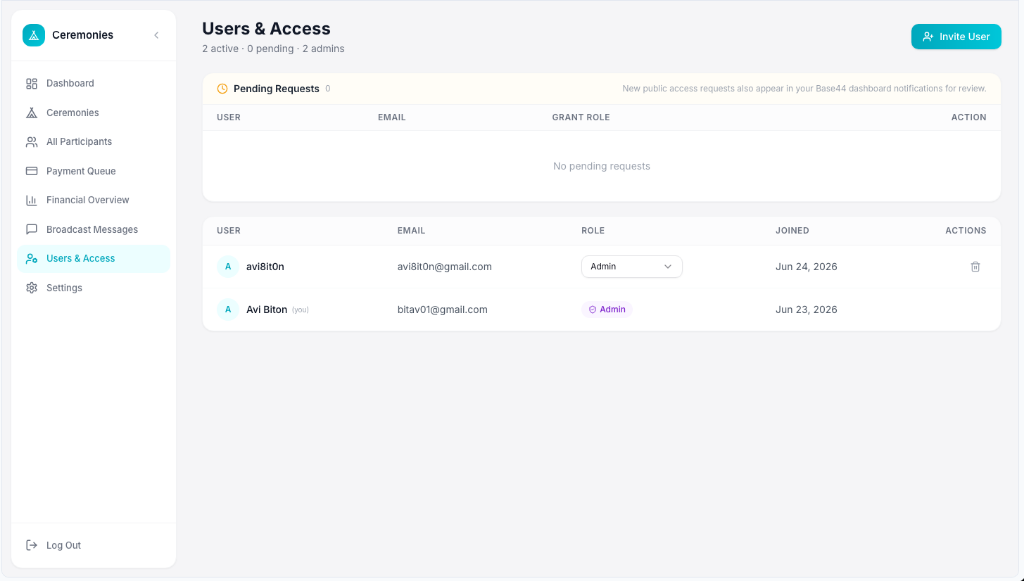
Users & Access with pending requests queue and active user roster
Settings
/settingsAn admin-only configuration hub for payment instructions, business rules, form links, and reminder templates.
Key Features
- Zelle tab: recipient name, email, phone, memo format, instructions
- Venmo tab: recipient name, username, QR code upload, memo format, instructions
- ACH tab: recipient name, bank name, account last 4, routing instructions, memo format
- Rules & Defaults: deposit amount, price per participant, deposit reserves spot, full payment required, integration session mandatory
- Forms & Scheduling: default links for intake form, waiver, agreement, and scheduling calendar
- Reminder Templates: unpaid balance, missing proof, pending verification, rejected payment
Screenshots
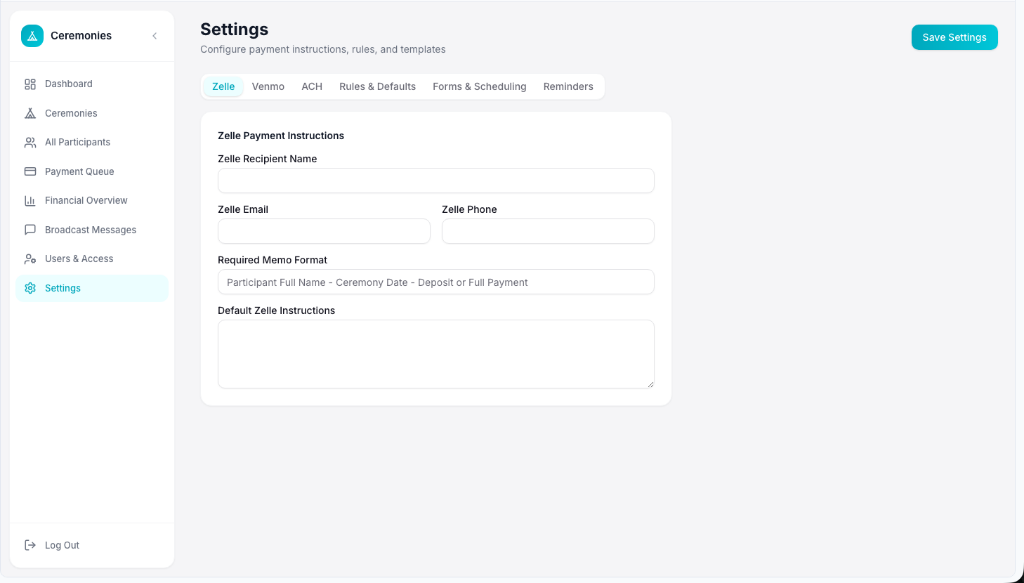
Settings page with Zelle payment instructions tab active
Ceremonies Platform — UI Mockup & Feature Specification — September 7, 2026